HPC PERUN Storage System
Overview
| The HPC PERUN storage system is a high-performance, scalable, and resilient data infrastructure designed for processing, storing, and long-term archiving of scientific data. It supports the full data lifecycle — from real-time high-speed computation to secure long-term preservation of research outcomes. Its architecture consists of three functional storage tiers, each optimized for specific types of workloads and user requirements. Together, they form a unified environment that ensures maximum speed, reliability, and durability for scientific and industrial research. |
|
Storage Architecture
The PERUN storage infrastructure is divided into three specialized tiers, each serving a unique purpose depending on user workloads and performance requirements.
1. Scratch Storage (High-Speed Working Tier)
A temporary, ultra-fast workspace intended for short-term data generated during active computational workloads.
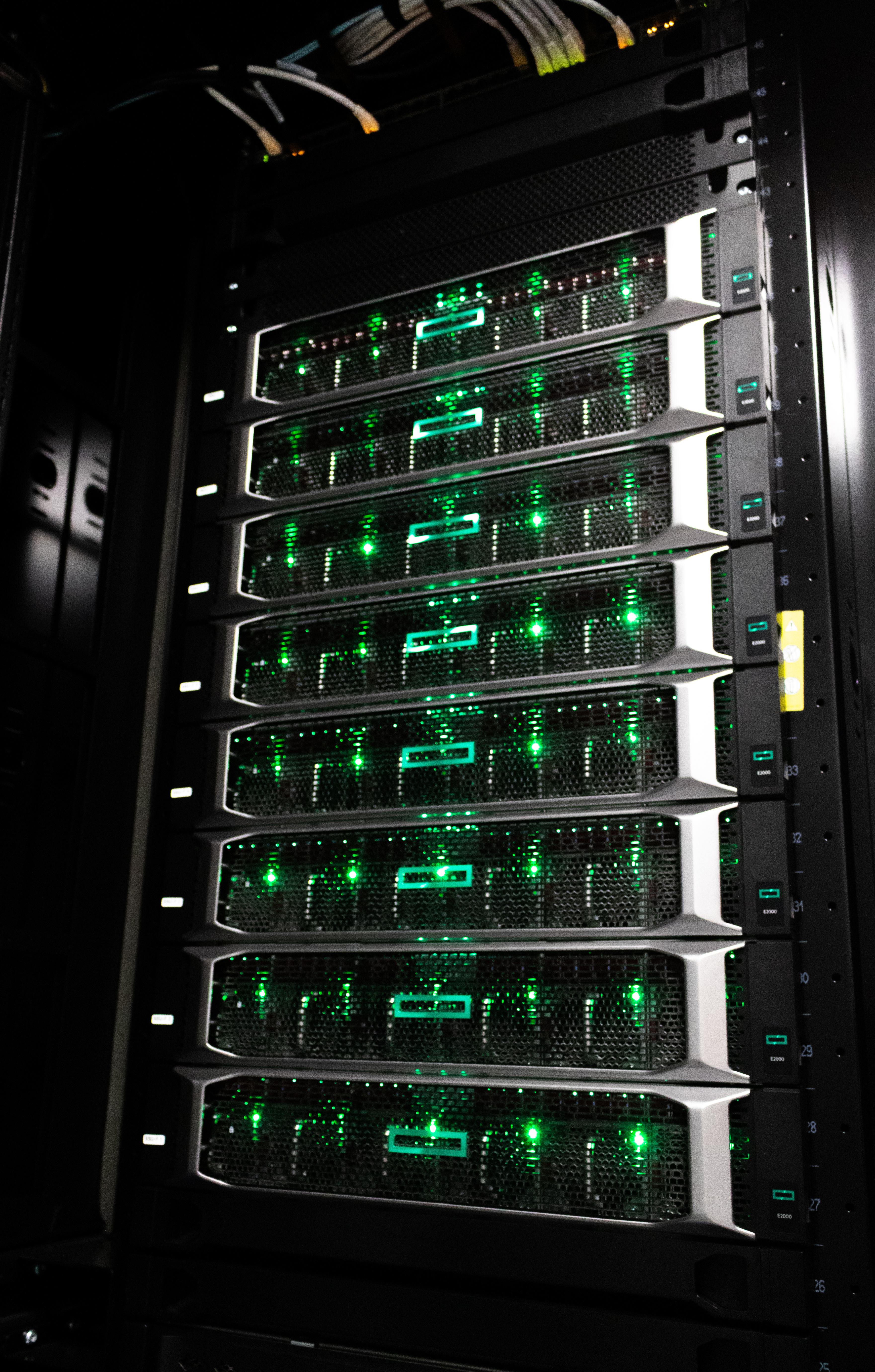
Configuration: - 1 × SMU server HPE E2000 - 1 × MDU HPE E2000 - 6 × SSU-F HPE E2000 (2U32)
Technologies: Lustre, gridRAID
Capacity: ~730 TB (excluding gridRAID redundancy)
Connectivity: 400 Gbit InfiniBand
This tier is optimized for maximum throughput and massively parallel access, enabling efficient processing of large-scale simulations and computing tasks.
2. Performance User Tier
A fast, reliable workspace for active data processing, development work, and daily operational tasks.
Configuration: - 2 × NetApp AFF C60
Capacity: 189 TB (excluding RAID)
RAID Level: RAID-DP
Connectivity: 8 × 100 Gbit
This tier ensures high responsiveness for common user workflows and mid-term project data management.
3. Capacity Archival Tier
A long-term, secure storage environment for large datasets, research results, and archival workloads.
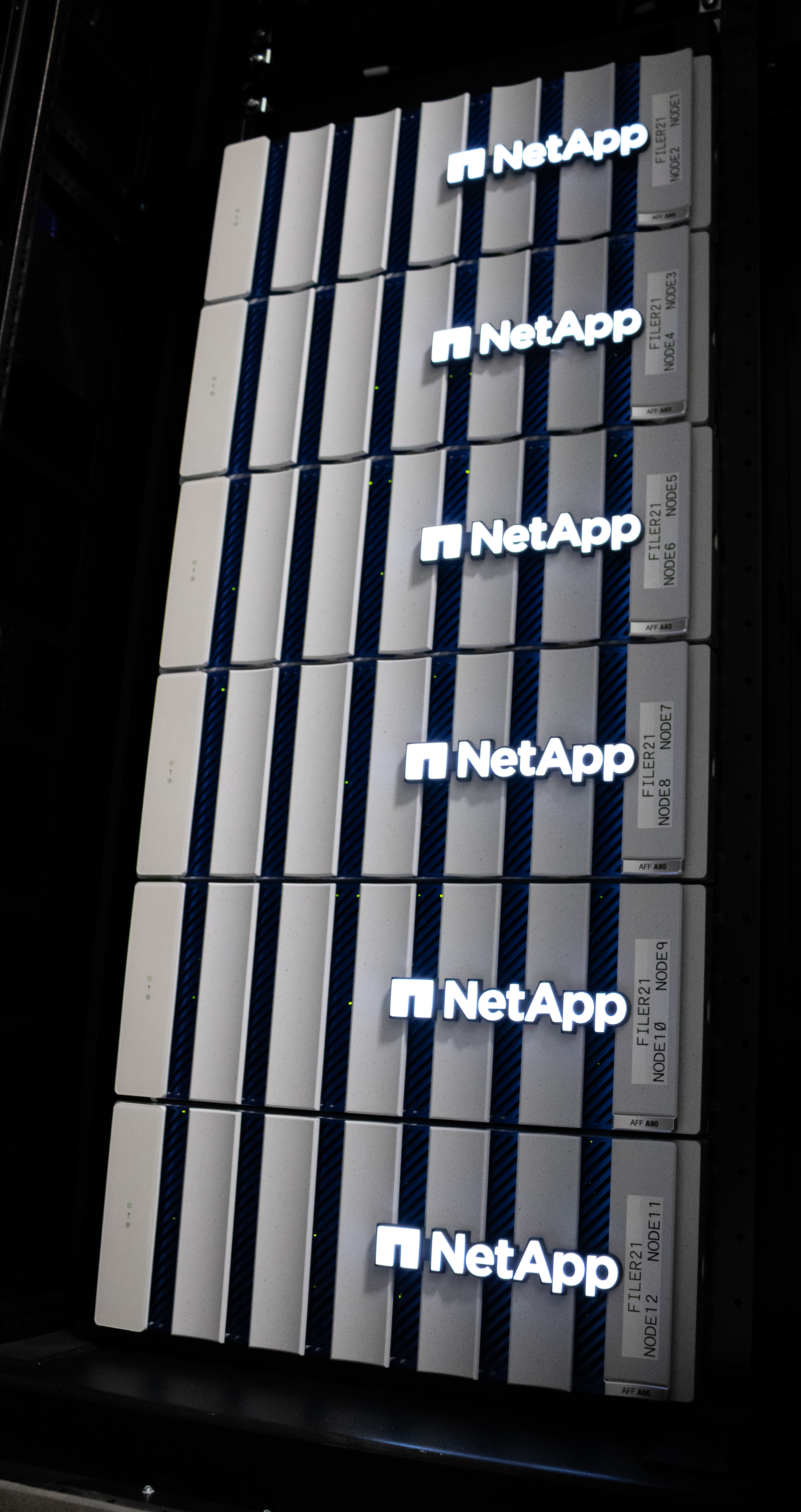
Configuration: - 6 × NetApp AFF A90 - 1 × NetApp FAS 70
Capacity: ≈ 5 PB
RAID Levels: RAID-DP, RAID-TEC
Connectivity: 14 × 4 × 200 Gbit
This tier is designed for maximum reliability, availability, and data protection, ensuring safe long-term storage of critical research outputs.
Additional Storage Images
|
|
|
Thanks to its multi-tiered architecture, the HPC PERUN storage system provides:
- high throughput for active computations
- fast and stable user-level performance
- secure long-term archiving capabilities
This comprehensive design supports researchers across all stages of the computational process — from data creation to final long-term preservation.
User Guide: How to Use the Storage Tiers
You have access to three shared storage systems, each meant for a different purpose. Choose based on what you're doing with your data.
HOME – /mnt/home (personal space)
- Your home directory, quota 500 GB per user
- Private space — only you have access
- Use for: configuration files, scripts, small helper data, virtual environments, source code
- Not intended for large data files or running computations
PROJECT – /mnt/project (shared team data)
- Space assigned to a project, shared among all project members
- Use for input/output data that needs to be accessible to the whole team and kept long-term
- Suitable for long-term storage of results and data
SCRATCH – /mnt/scratch (fast computation space)
- High-speed storage (Lustre), intended exclusively for running computations
- Copy data here right before running a job, and read/write here during computation
Important
Data on SCRATCH is automatically deleted 60 days after last access. Once your computation is done, always move results back to PROJECT or HOME.
Practical Rule
Best Practice
- Prepare input data and code in HOME or PROJECT
- Copy data to SCRATCH before running a computation
- Run computations on SCRATCH (fast I/O)
- Move any results you want to keep back to PROJECT
- Don't leave anything important on SCRATCH — after 60 days without access, data is automatically deleted
Example Use Case
You have a dataset in /mnt/project/myproject/data. Before submitting a job, copy it to /mnt/scratch/$USER/myjob/, run your computation there, then copy the output back to /mnt/project/myproject/results once it finishes.
Checking Your Quota Usage
To check your space usage across all your storage (HOME/SCRATCH/PROJECT), run:
Example output:
STORAGE USAGE FOR mahake799
Generated: 2026-08-21 04:56:19

Type      Name                 File system      Space used  Space limit     Used Status
--------------------------------------------------------------------------------------------------------
User      mahake799            /mnt/home            207 GB       500 GB    41.4%          [########............]
User      mahake799            /mnt/scratch        3.47 TB          TBD        -
Project   commercial2601455    /mnt/project        4.00 KB          TBD        - active
Project   perun2501110         /mnt/project        12.0 KB          TBD        - inactive
...

Your data:     3.67 TB
Project data:  50.3 MB

NOTE: 8 of your projects are marked inactive (from a previous year).
      Please archive or clean up data you no longer need.
Column explanation:
- Space used — how much space you currently occupy on that storage
- Space limit — your quota (500 GB on HOME; SCRATCH and PROJECT currently show TBD — no fixed personal quota yet)
- Status — for projects, shows whether the project is active or inactive (from a previous period)
Base Environment
If the output shows inactive projects, check whether they still hold data you no longer need and clean it up.